
Spot the Differences
When To Use It?
Promote your team by using nostalgic images from iconic/winning games
Promote sponsors by having fans choose images with sponsored products
Before, during, or after a game you can launch funny photos featuring your mascot, player moments, and more
Features
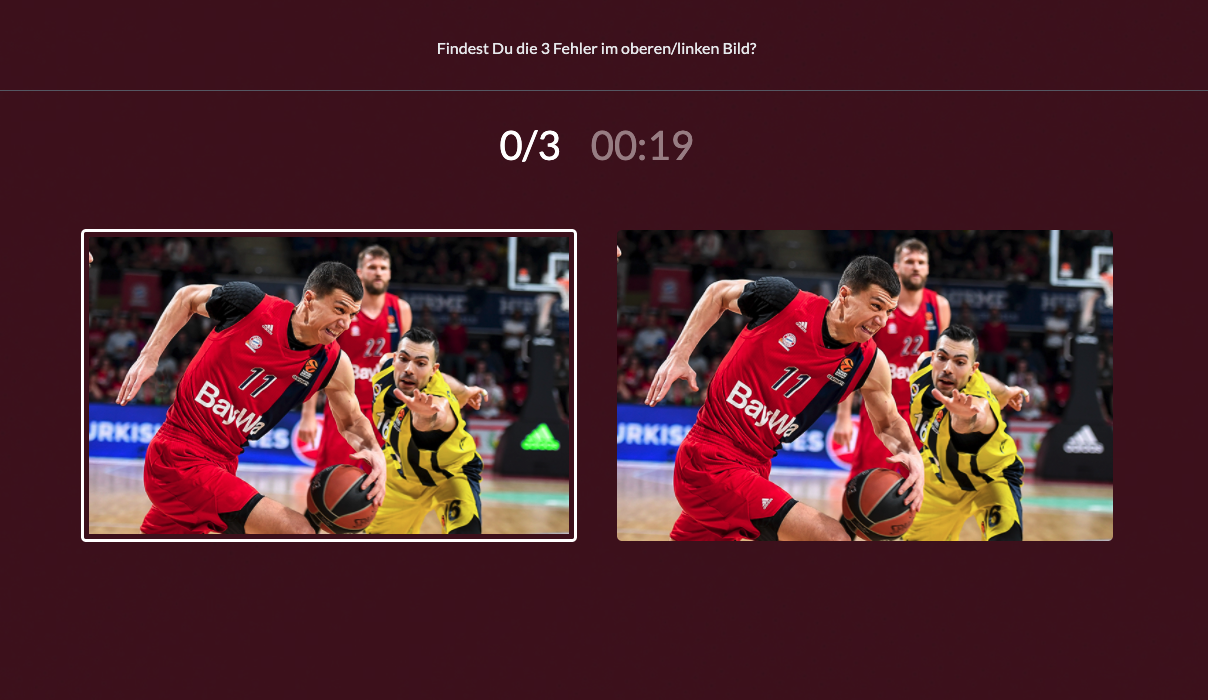
The Find the Difference activation is a great way to entertain your fans and have them harmlessly play against one another. Together they’ll be able to determine who was able to find the most matches. In a Find the Difference activation, fans are challenged to find all of the differences in a set of pictures within a certain time limit.
.png?inst-v=adc58d17-ecec-4797-8b6c-9c216e76d54c)
Game Assets
Welcome Message Image: 573*300 px
Game Settings:
Background Image: 1000*600 px
Start Screen Image (optional): 600*400 px
Game:
Original and Edited Images: 700*440 px
End Screen Image (optional): 600*400 px
.png?inst-v=adc58d17-ecec-4797-8b6c-9c216e76d54c)
Best Practices
High-Quality Images: Use clear, high-resolution images to ensure that fans can easily spot the differences without frustration.
Balanced Difficulty: Ensure a mix of easy and challenging differences to cater to a broad range of participants, keeping the game enjoyable for both casual fans and more competitive players.
Time Limit: Set a reasonable time limit to add excitement and urgency, but ensure it’s not too short, so fans have a fair chance to find all differences.
User-Friendly Interface: Make sure the game interface is intuitive and easy to navigate, with clear instructions and simple controls. Design the game to be responsive and compatible with various devices, including smartphones, tablets, and desktops.
Engaging Visuals and Themes: Incorporate team branding, colors, and logos to create a cohesive and immersive experience.
Data Collection and Privacy: Use the activation as an opportunity to collect valuable fan data, such as email addresses and preferences, but ensure you comply with privacy regulations and clearly communicate how the data will be used.