
Connecting Social Media Profiles
Social media is a goldmine for businesses and individuals, but managing it can feel like a three-ring circus. Keeping track of different platforms, creating engaging content, and scheduling posts consistently takes serious time and effort.
That's where the Engage Engine Platform steps in. We offer a seamless solution to connect and manage all your social media profiles in one central hub.
Effortless Social Connection: Get Started in Minutes
Connecting your social media accounts to Engage Engine is a breeze. Simply head to your account settings and follow our intuitive steps. In no time, you'll have Facebook, Instagram, Twitter, and even the newly added TikTok all linked up and ready to rock!
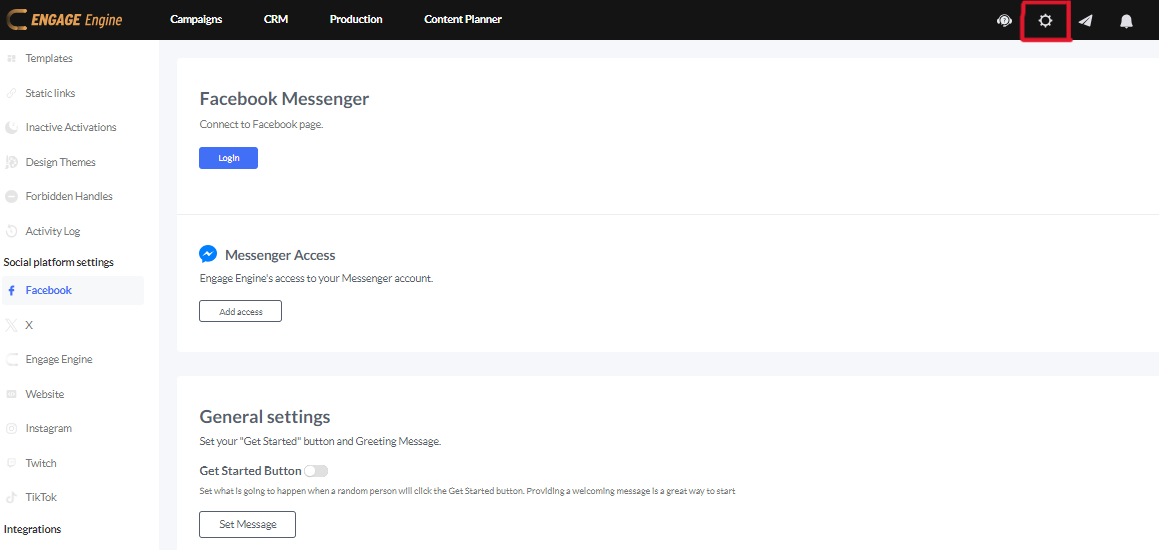
On the left side, you can see your Social Platform Settings, just click on the specific platform you wish to connect with.

To connect your page to Engage Engine, you'll need admin privileges. If you're not sure who has admin access, contact your team or platform administrator.
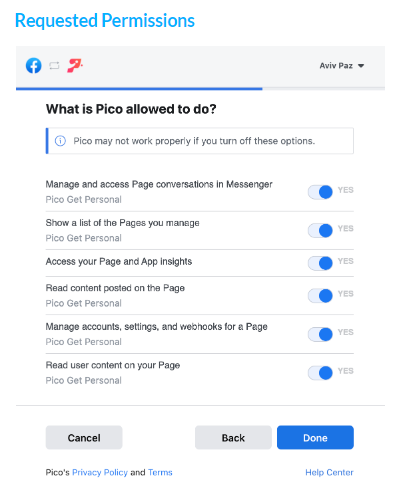
When you connect your Facebook it will ask you these permissions.
Engage Engine functions best when all permissions are granted. This allows us to seamlessly connect with your accounts and deliver the full range of features. Don't worry, we prioritize data security and only access what's necessary to operate effectively.
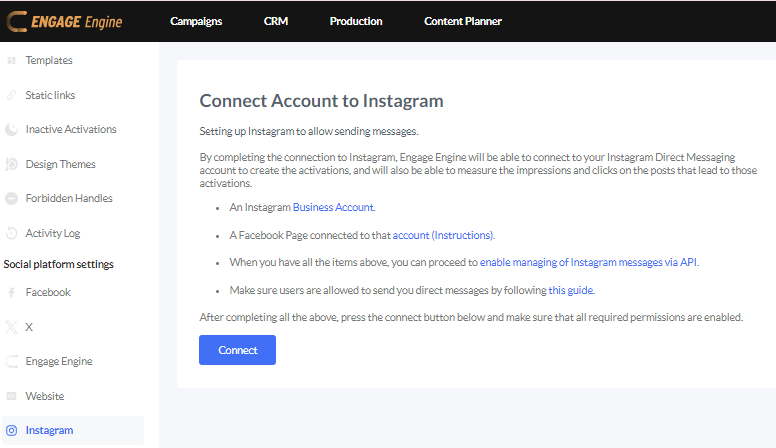
For Instagram, these are the detailed instructions on how to connect your page.
Taking your Instagram presence to the next level? Switching to a business profile is your secret weapon! It's surprisingly easy – just find the highlighted Business Account option in your settings and follow the Instagram's quick setup guide.
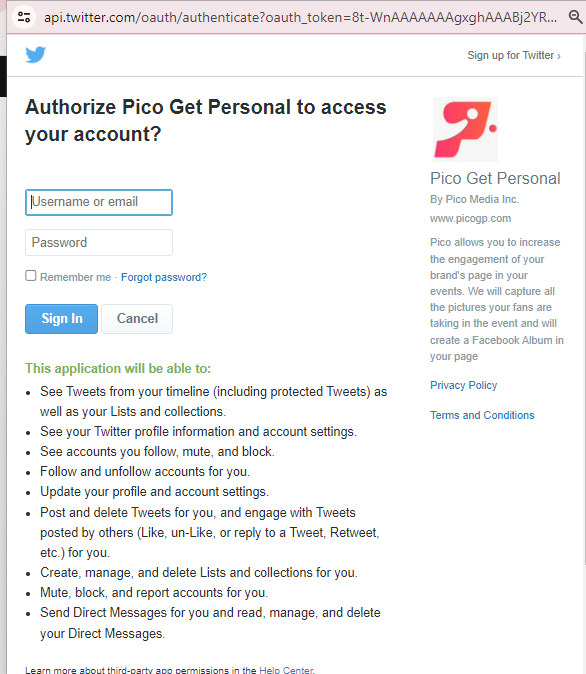
Connecting your account to Engage Engine is a breeze. The on-screen instructions are designed to be as clear as possible, so you'll have your Twitter profile linked up in no time.
While you're connecting, take a quick moment to review the permissions we request. We prioritize data security and only access what's necessary to operate effectively.
TikTok

TikTok as a new Social Channel
Engage Engine now seamlessly integrates with TikTok, unlocking a range of powerful features for your brand:
Effortless Posting: Publish captivating content directly to TikTok from Engage Engine's central hub. No more juggling apps!
Actionable Insights: Dive deep into valuable data to see how your videos are performing, helping you optimize your TikTok strategy.
Native UGC Integration: Seamlessly showcase user-generated content directly from TikTok, boosting engagement and authenticity.
Unlock the Power of TikTok Business Accounts
To experience the full potential of Engage Engine's TikTok integration, switching to a business account is key. It's a breeze!
Easy Setup: Follow the simple in-app instructions – you'll be up and running in no time.
Already on TikTok? Converting your personal account to a business profile is a quick and easy process.
Struggling to manage multiple social media accounts? You're not alone. Manual posting and scheduling can devour valuable time and resources. Engage Engine Platform is your game-changer. By automating repetitive tasks, you'll reclaim hours to focus on what truly matters: crafting compelling content, fostering meaningful relationships with your audience, and ultimately achieving your social media goals. Imagine soaring brand awareness, skyrocketing engagement, and a thriving online community – Engage Engine puts you back in the driver's seat to make it happen.
Topic: Connecting Social Media Profiles
Category: Account Setup & Management
Article Description: Show how to connect social profiles. Make sure to mention IG Business profile is needed and refer to the how to change IG account to business. Connecting FB and IG accounts is also important.
Draft Guide:
Existing Legacy Documentation: Bulk create Docs - Show how to connect social profiles. Make sure to mention IG Business profile is needed and refer to the how to change IG account to business. Connecting FB and IG accounts is also important., Account Setup & Management