
Using Facebook with Engage Engine
Engage Engine is a powerful tool that can help you manage your social media presence and share interactive activations with your audience. This article will guide you through using Engage Engine specifically for your Facebook page.
Connecting Engage Engine to Facebook
Sign in to your Engage Engine account.
Navigate to Settings.
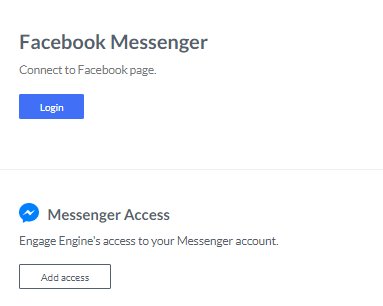
Locate the options to connect your Facebook page and grant Messenger access. Granting these permissions is essential for using Engage Engine on Facebook.
Customizing Your Conversations
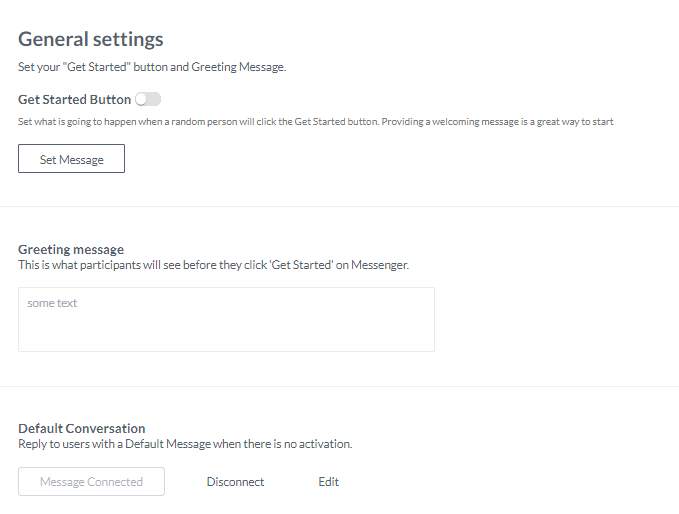
Once connected, you can personalize how users interact with your brand through Engage Engine on Messenger. Head over to the general settings to:
Customize the "Get Started" button: This allows you to create a welcoming message for users who click on it.
Set a Greeting Message: This message appears before users click "Get Started." Use it to greet users, provide instructions, or a combination of both.
Set Default Conversation Messages: These are the messages users receive when there's no active promotion. Click "edit" on each message to personalize it.
Sharing Activations on Facebook
After creating and saving your activation in Engage Engine, you're ready to share it on Facebook! Here's how:
After publishing your activation, you'll see an overview page with publish settings and results.
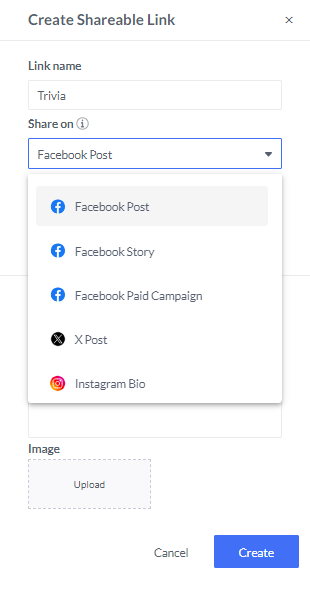
For Facebook, you have three sharing options:
Facebook Post: A regular post on your Facebook page.
Facebook Story: A temporary post that disappears after 24 hours.
Facebook Paid Campaign: Promote your activation through paid advertising.
You can also add an optional image link to your post.

Important Note: Tailor your post captions to the platform's character limit. For Facebook, keep your captions between 40-80 characters to encourage clicks.
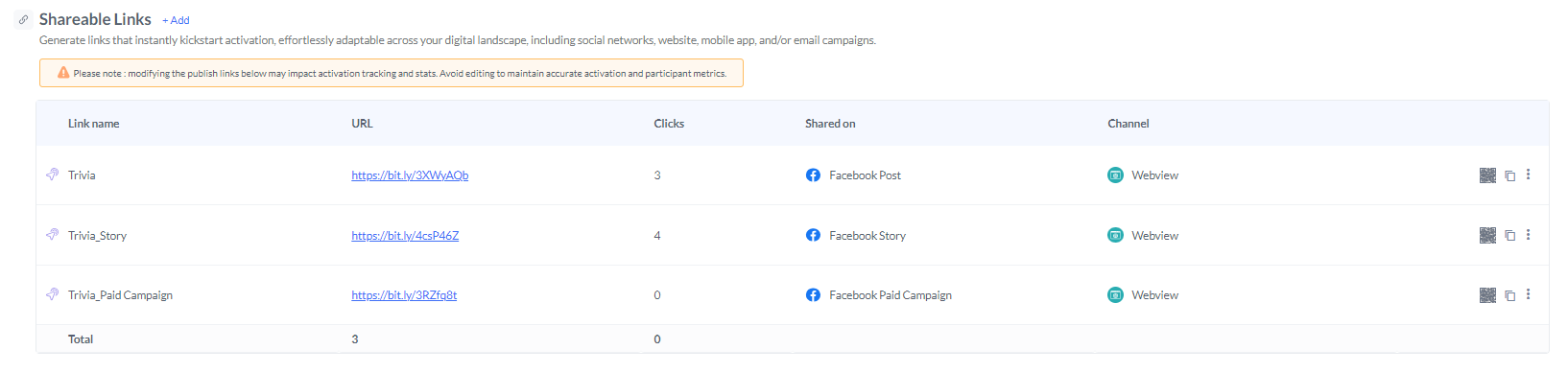
Once you've created your links, they'll appear on the page where you can access various analytics for your activation.
By following these steps, you can leverage Engage Engine to create a more engaging experience for your audience on Facebook. Remember, customizing your messages and keeping your captions concise will significantly impact your results.