
Using X with Engage Engine
Engage Engine is a powerful tool that can help you manage your social media presence and share interactive activations with your audience. This article will guide you through using Engage Engine specifically for your X (formerly Twitter) account.
Connecting Engage Engine to X
Sign in to your Engage Engine account.
Navigate to Settings.
In the "Social platform settings" section on the left sidebar, click on "X".
Click on the "Login" button to authorize Engage Engine to access your X account.
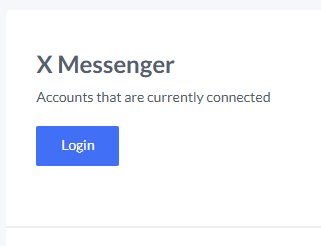
You will be redirected to X's authorization page where you'll need to sign in if you're not already logged in.
Review the permissions that Engage Engine is requesting, which include:
Seeing posts from your timeline (including protected posts) and your lists and collections
Seeing your X profile information and account settings
Seeing accounts you follow, mute, and block
Following and unfollowing accounts for you
Updating your profile and account settings
Creating and deleting posts for you, and engaging with posts created by others
Creating, managing, and deleting lists and collections for you
Muting, blocking, and reporting accounts for you
Sending direct messages for you and reading, managing, and deleting your direct messages
Click "Sign In" to grant these permissions and connect your X account to Engage Engine.
Messenger Access

Due to these limitations, Engage Engine no longer supports X Messenger for activation sharing. You may want to consider alternative methods for utilizing X Messenger in your campaigns.
Sharing Activations as X Posts
Create and Save Your Activation: Design your activation within Engage Engine. Once satisfied, save it for future use.
Publish and Share: After saving, you'll be directed to a page displaying the activation overview, publishing options, and performance results.
Craft a Compelling Caption: Here, you'll create the X post promoting your activation. Keep in mind X's character limit of 280 characters. However, for optimal readability and mobile user experience, aim for a shorter caption. This enhances message clarity and encourages post sharing.
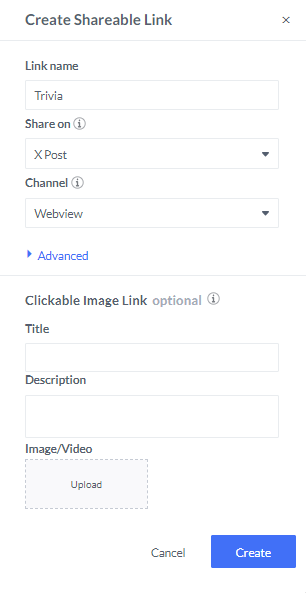
Include a Clear Call to Action: Tell your audience exactly what you want them to do – participate in the activation, visit a landing page, etc.
Shorten Links (Optional): Long URLs can clutter your post. Consider using a URL shortener to create a cleaner, more visually appealing X post.
Once your caption is crafted and links are included (if applicable), publish your X post. Engage Engine will track the performance of your activation within the platform.

Additional Tips for Success
Utilize Eye-Catching Visuals: Include an image or video relevant to your activation to grab attention and encourage engagement.
Leverage Relevant Hashtags: Use relevant hashtags to increase the discoverability of your X post and reach a wider audience interested in your topic.
Schedule Posts for Optimal Timing: Utilize Engage Engine's scheduling features to publish your X post at a time when your audience is most active.
By following these steps and incorporating the provided tips, you can effectively share your Engage Engine activations directly on X, fostering engagement and maximizing the reach of your campaigns.