
Collecting Data Points in Conversation Flows
Conversation Flows in Activation Engine allow businesses to interact dynamically with users while collecting valuable data points. By assigning data points to different message widgets, each user’s journey is tracked, enabling personalized engagement and deeper insights into audience behavior.
Adding Data Points to Conversation Flows
Once a Conversation Flow is created, the Canvas Flow Builder opens. This is where messages and interactions with the chatbot are built. Each message widget has the ability to store user data through assigned data points.
Assigning Data Points to Message Widgets
Each widget in the flow can be assigned a data point through the right-side configuration panel, under the Personalized tab:
Select a widget where you want to collect data.
Click Add Data Point under the Personalized tab.
Choose an existing data point or create a new custom data point.
The assigned data point will now store user information each time a participant reaches this message in the chatbot flow.
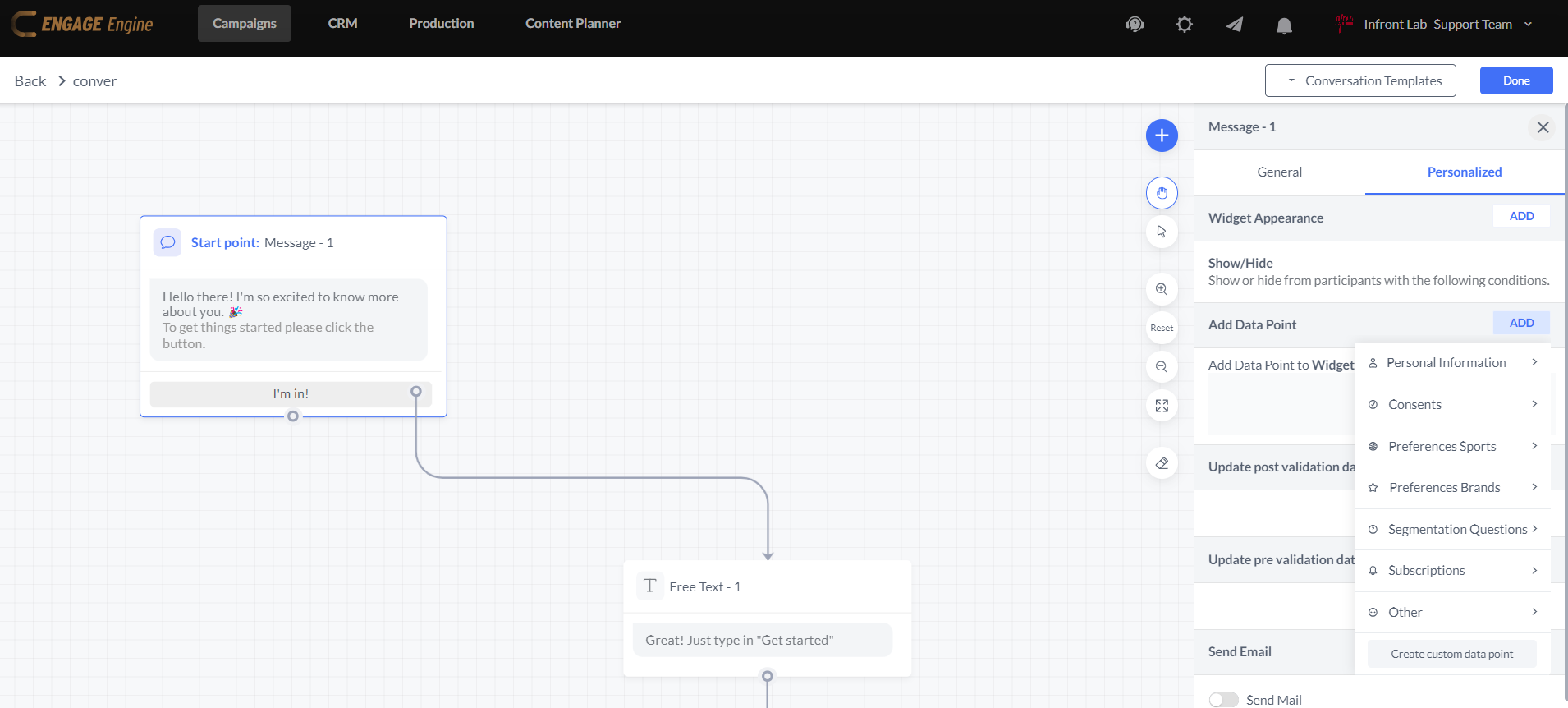
For example, if a chatbot has two end scenarios—Call Me Later and Not Interested—each of these widgets can be linked to a data point. If a user selects "Call Me Later," a data point will be assigned with a "true" value. Later, in the CRM, users who reached this step can be identified by filtering for this data point.
Capturing User Input with Response-Type Widgets
Some widgets are specifically designed to capture user responses, allowing for more interactive data collection, these widgets (for example “Free text”) require users to provide specific types of input, such as: Text, email or numbers.
Each response type can be linked to a data point, ensuring that user-provided information is stored and available for future engagement.
Integrating Data Points with Game Widgets
When a Game Widget is used within a Conversation Flow, data point collection functions similarly to Single Widget activations. Users can:
Add data points based on interactions within the game.
Track user progress or engagement levels.
Store responses for further segmentation.
This ensures that gamified experiences within the conversation still contribute to data collection and audience profiling.
By strategically incorporating data points into Conversation Flows, businesses can streamline user interactions, personalize follow-ups, and gain valuable insights for marketing and engagement strategies.