
Competitions & Leaderboards
Effortlessly combine several activations into a single, captivating competition. This innovative approach gathers and consolidates participant contributions from various channels, creating a unified experience. With a central leaderboard showcasing individual and team progress you can ignite friendly competition, keeping participants engaged and motivated throughout the campaign.
Launching an Engage Engine Competition
To get started, simply create a new campaign and designate it as a "Competition."
Here’s a guide on how to create a new Competition Campaign:
Navigate to the "Campaigns" tab and click "New Campaign."
In the pop-up window, name your campaign and select "Competition" as the campaign type.
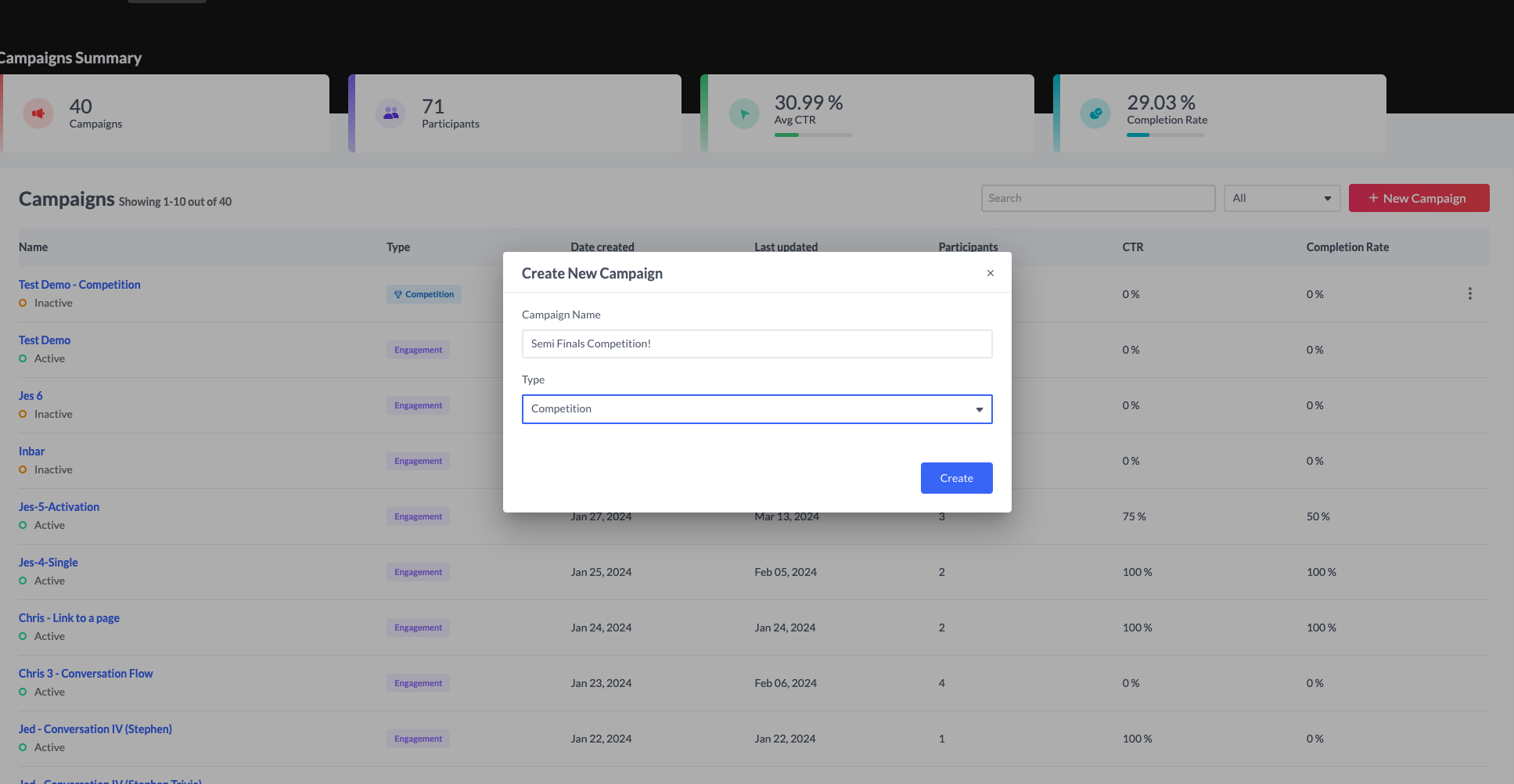
You'll then be redirected to the settings tab, granting you convenient access to navigate between several other tabs as part of the competition's settings: the General Settings, Login Screen, End Screen and Leaderboard Design.
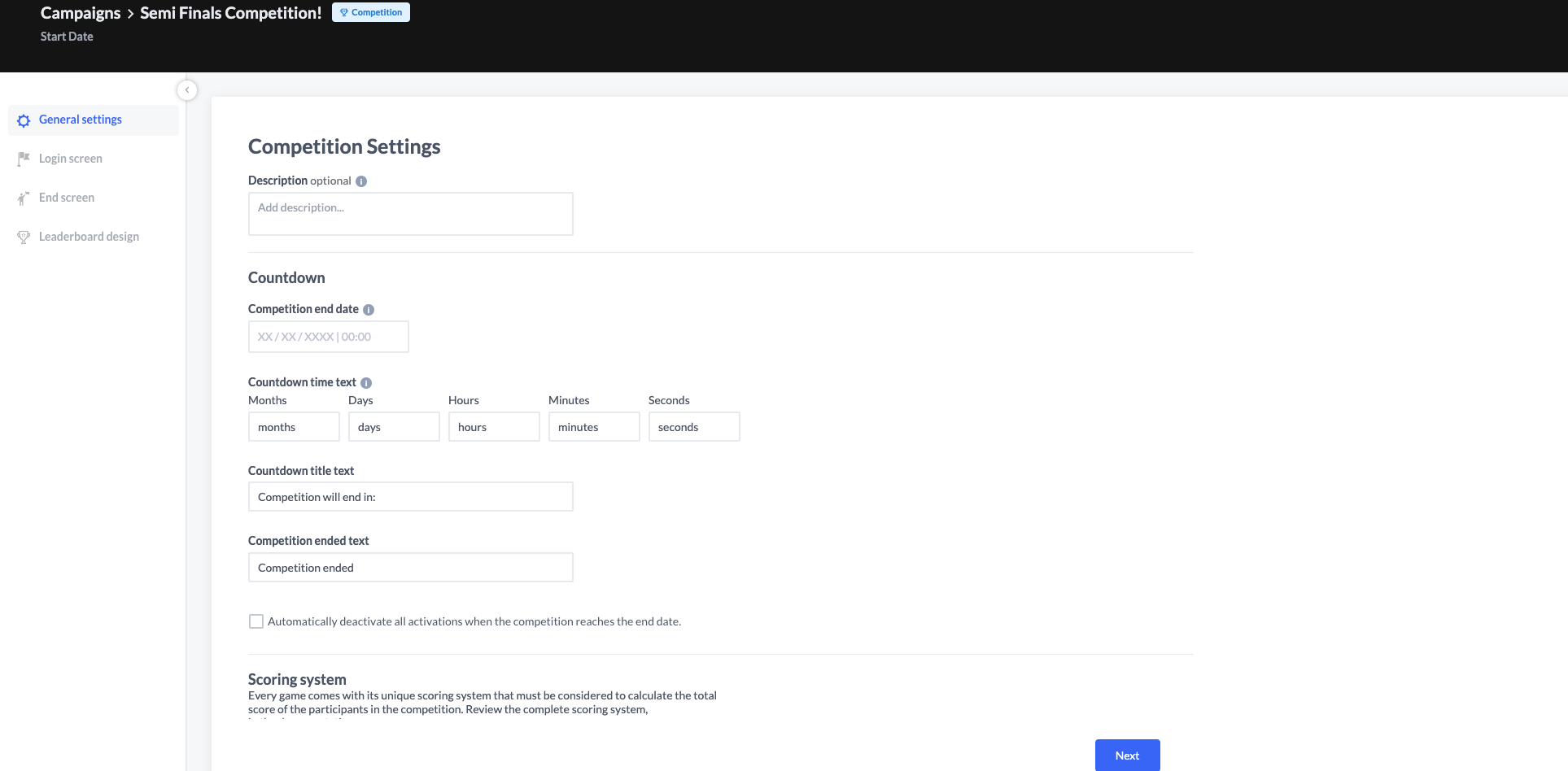
These settings define the competition's core behavior. You can optionally add an internal usage description for your team's reference.
Competition End Date
More importantly, set an end date to automatically conclude the competition. Once that date arrives, all activations associated with the competition will be deactivated and marked as "Inactive," ensuring no further user engagement is collected.

Setting the competition's end date in the settings is mandatory to proceed to the 'Login' stage.
What happens if a user tries to access an inactive activation?

If a user tries to access an inactive activation, the system will display a pre-defined "Inactive Activation" message to users, based on your account settings.
Countdown Timer, Title, and End Text:
This section allows you to customize the countdown timer displayed to participants. It shows the remaining time until the competition ends, broken down into months, days, hours, minutes, and seconds. Please note that only the displayed text can be modified; elements not visible on the screen cannot be edited.
Games scoring system
Point-based games within Activation Engine each have a unique scoring system. The Competition Mode calculates results based on the performance of participants in the various competition.
Game Type | Category | Game score system |
|---|---|---|
Game Type | Category | Game score system |
Trivia | Questionnaire | 10 points for each correct answer |
Personality Test | Questionnaire | 10 points for each answer |
Guessing Game | Questionnaire | 10 points for correct answer |
Memory Game | Skill | 10 points for correct pairs |
Pattern | Skill | 10 points for each correct block. All Correct: Total points + [({No. of blocks}/2)*X] |
Slot Machine | Skill | One payline per spin: X*1 (10) points 2 paylines per spin: X*4 (40) points 3 paylines per spin: X*6 (60) points |
Swap Puzzle | Skill | 40 points for successful game |
Repeat After Me | Skill | 10 points for each pattern repeated |
Spot the Differences | Skill | 10 points for each difference |
Where is Waldo | Skill | 10 points for finding Waldo |
Tricky Cups | Skill | 40 points for finding the ball |
Tap It | Skill | 1 point for each tap |
Running Man | Skill | Current finish score |
Balloons | Skill | 1 point for each target hit |
Spaceship | Skill | 1 point for each target hit |
Shake It | Skill | 1 point for each shake |
Important: not all activations support the competition campaigns.
The list of eligible activations are as follows:
Shootout Challenge | Swap Puzzle | Running Man | Balloons |
|---|---|---|---|
Trivia | Personality Test | Repeat After Me | Spaceship |
Memory Game | Guessing Game | Where is Waldo | |
Prediction Game | Spot the Differences | Pattern | |
Tap It | Tricky Cups | Slot Machine Contest |
Boost Engagement With Participation Points
Motivate users to explore a variety of games within your competition by awarding fixed participation points. These points are independent of individual performance and encourage users to try different activities. This not only enhances user engagement but also enriches your data collection for user identification. Participation points cannot be accumulated through repeated plays of the same game.
It’s important to note that if you modify participation points after a competition has begun, these changes will retroactively affect the scores of all participants, including those who have already participated.
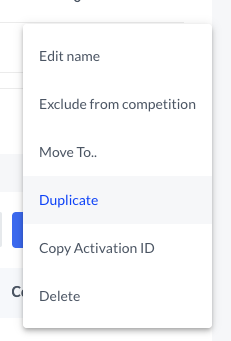
Furthermore, if you choose to exclude an activation from the competition (indicated by the three dots in the activation table), any participation points earned from that activation will also be removed.
The Login Screen
The login screen is divided into two:
Settings tab
Design tab
The Settings Tab
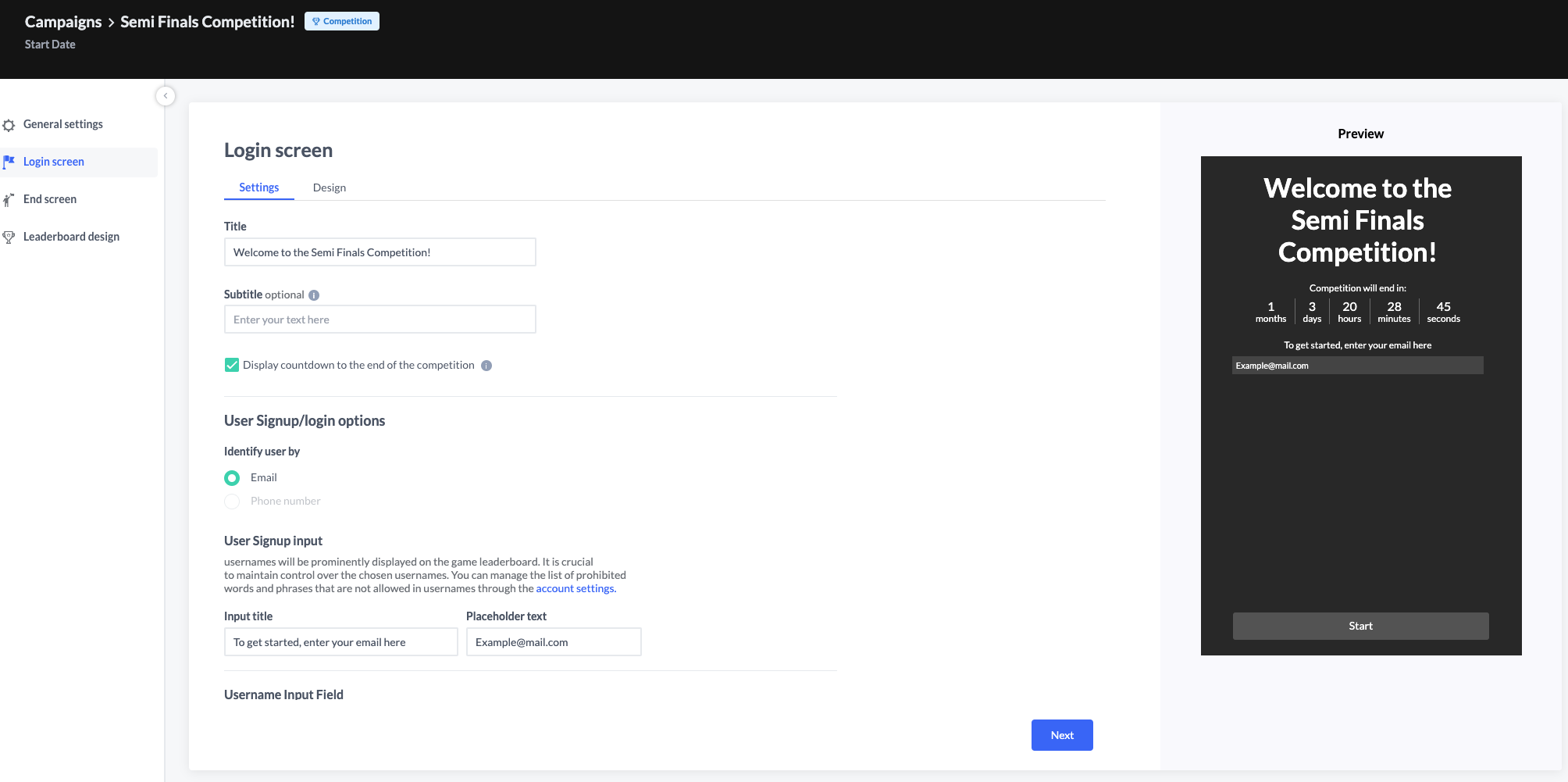
The Settings Tab allows you to customize the competition's login page, tailoring all fields relevant to the user's signup and login journey. Most text fields within the Settings Tab are editable, and you can further enhance them by incorporating a media asset in a 600x400 aspect ratio.
Why is a proper username essential for competition participation?
Usernames are displayed prominently on the competition leaderboard, making them a key element for participants to showcase themselves. To ensure a positive experience for everyone, it's important to encourage participants to choose appropriate usernames. We recommend monitoring usernames and maintaining a list of prohibited words or phrases through your account settings. This helps prevent misuse and keeps the competition environment friendly and professional.

Please note: Usernames must be no longer than 20 alphanumeric characters. Special characters and spaces are not permitted.
The Design Tab
On-the-fly customization allows you to easily personalize the appearance of your Login Screen. Saved themes let you reuse your designs for future competitions, or you can load an existing theme based on your current preferences. Learn about our design themes here.
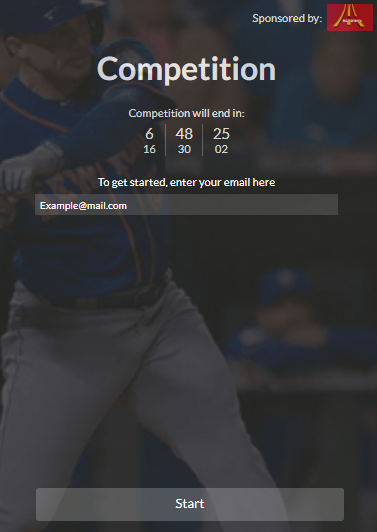
An example of a customized Login screen
The Design tab includes the 'Derive design from activation' option. When enabled, the design of the competition login screen is automatically generated based on the participant's progress. Enabling this feature will temporarily disable the preview function.
The End Screen
The End Screen is presented to the participants who have completed the game.
The design of the End Screen is based on the theme set for the activation itself. To make any adjustments, you'll need to edit the theme of the actual activation.
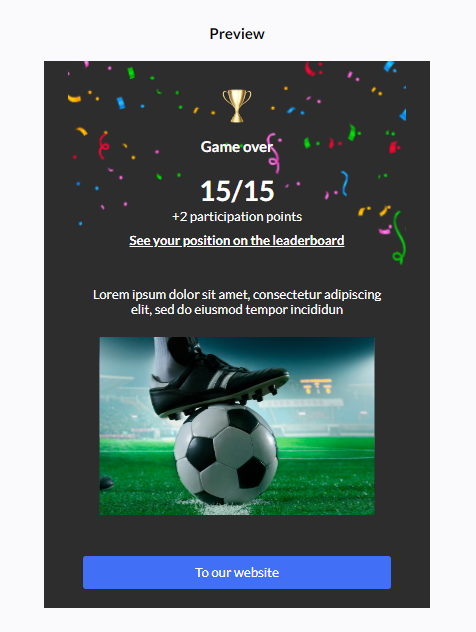
An example of an End screen
The Dynamic Placeholder
This feature displays the "participation points" on the end screen. To include the point value in a sentence, simply use {x} where you want the number to appear. For instance, you might opt for sentences like: "Hooray! You have collected {x} points for participation" or "{x} participation points were added."
You can also activate the "Leaderboard Link" option. This generates a link for participants to access their current ranking compared to other players, encouraging them to stay engaged and track their progress.
Leaderboard Screen Design
Complete the competition layout by customizing the final screen: the leaderboard. Here, all participant usernames and their current scores will be proudly displayed. Choose from existing design themes or unleash your creativity with custom assets – the choice is yours! For added functionality, you can even enable or disable a search box for user entries, allowing participants to track down specific opponents and fuel the competitive spirit.


Elevate your Activation Engine experience by leveraging competition campaigns. This strategic approach not only fuels fan engagement but also unlocks valuable insights. Our interactive leaderboards encourage participant interaction, ultimately amplifying the success and impact of your competitive initiatives.