
Questionnaire
Game Description
Questionnaire is an interactive tool designed to collect user insights, opinions, and feedback through structured questions. Unlike trivia, there are no right or wrong answers—participants simply share their responses, making it ideal for surveys, polls, and fan engagement.
Where & When to Use Trivia
Fan Engagement: Gather opinions on team performance, favorite players, or upcoming events.
Market Research: Collect valuable feedback on sponsors, merchandise, or game-day experiences.
Surveys & Polls: Use for event evaluations, customer satisfaction, or audience preferences.
Sponsorship Activation: Engage fans with brand-sponsored questionnaires.
Pre/Post-Game Interactions: Keep fans involved before or after matches by asking their thoughts on game predictions or outcomes.
Inspiring Use Cases and Ideas
Match Prediction Polls: Ask fans how they think a game will play out.
Sponsor Surveys: Measure audience perception of sponsorship campaigns.
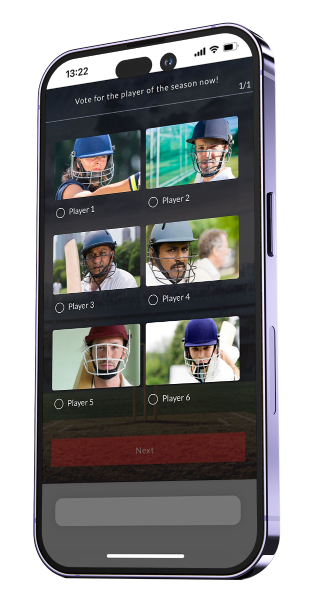
Fan Voting: Let fans vote for their favorite players, jerseys, or plays of the game.
Event Feedback Forms: Gather responses from attendees about their experience.
Personalized Experiences: Collect data to offer tailored content or promotions.
Customization Options
Settings:
Next Button Text: Customize the button text to fit the questionnaire theme.
Questions:
Adding Questions: Click on (+) sign to add new questions. Each question can be duplicated for easier management or deleted if not needed.
Question Types:
Single Selection & Multiple Selection: Participants choose from predefined options.
Free Text: Participants type their answers manually.

Participation Limit: Since questionnaires are designed to collect structured responses, each participant is limited to a single submission to ensure accurate and unbiased data collection.
Recommended Media Specs
Media Element | Media supported | Dimensions |
|---|---|---|
Question media | Image or video | 600 × 300 px |
Answer media | Image or video | 410 × 250 px |
Post-Answer Screen
Post-Answer Screen Setup:
Enhance the questionnaire experience beyond simple answers by utilizing the Post-Answer Screen feature. This additional screen appears after each question, allowing you to display the results of the participant’s response stats live.
When toggled on, you can customize the Post-Answer screen Subtitle text and Button text.
Note:
If one or more video assets are added as answer options, the results will be displayed in textual bars rather than images.
Limitations: The post-answer screen is not supported when using the Free Text answer type.