
Advanced Shareable Links Settings
The Advanced Shareable Links Settings provide additional options to customize how your activation links behave, track engagement, and interact with users. These settings allow for enhanced flexibility and better control over how activations are published, shared and tracked.
Clickable Image Link
Clickable Image Links generate a preview card when sharing the activation. This feature is particularly useful when posting activation links on social media platforms such as Facebook and X (Twitter), making the link visually engaging and increasing click-through rates.
Clickable Image Links is only available for certain "Share on" selections: such as Facebook Post, Facebook Paid Campaign, X Post, and Twitch.
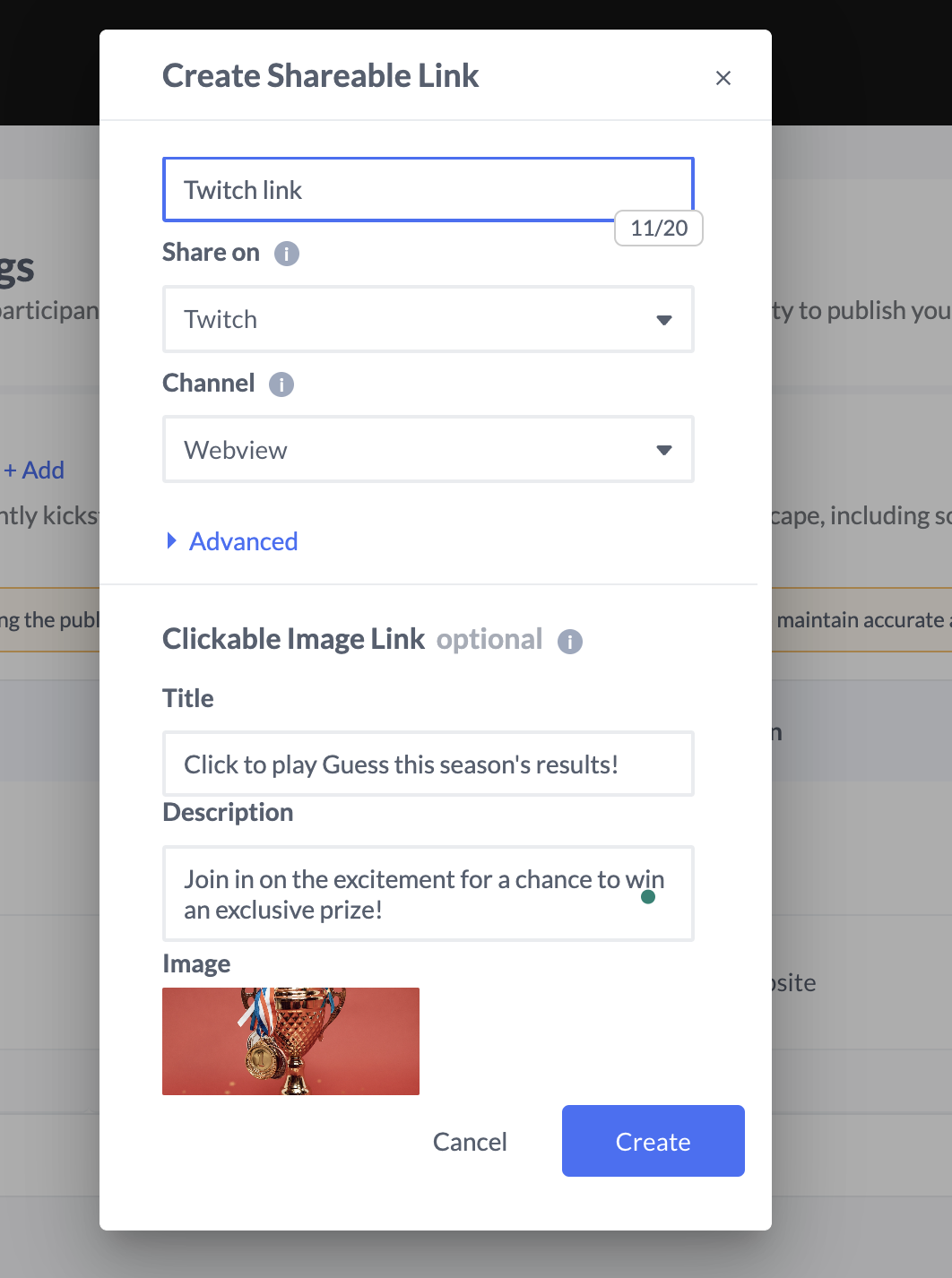
Key Benefits:
Automatically generates an image preview when shared.
Enhances visibility and engagement on social platforms.
Ideal for paid social campaigns and organic posts.
Connect Datapoint
The Connect Datapoint feature automatically associates a datapoint with participants once they click on the link. This allows for seamless tracking and interaction based on predefined data points, enabling a more personalized user experience.
Read more about Data points here.
Use Cases:
Identifying participants based on specific engagement behaviors.
Linking users to a CRM or analytics system for advanced tracking.
Improving campaign personalization and data-driven decision-making.

Selecting an existing data point will replace the current values for all participants with the new DP value (True/False).
Connect to a Static Link
The Static Link feature provides a predefined, unchanging URL that remains the same regardless of activation updates. This is useful when maintaining a permanent link for ongoing campaigns or embedding a shareable activation across multiple touchpoints.
Advantages:
Ensures consistency for long-term activation use.
Useful for QR codes, website embeds, and print materials.
Prevents the need to update links when making changes to an activation.
Learn more here: Static Links
Disable Cookies
The Disable Cookies setting prevents user tracking and treats every session as a new participant, ensuring that no persistent user data is stored.
When to Use:
If strict privacy compliance is required.
When activations need to reset for each participant, such as in daily challenges.
Avoiding tracking issues in incognito or restricted browsing environments.
By leveraging these Advanced Shareable Links Settings, you can tailor activation links to meet your campaign goals while maintaining greater flexibility and tracking capabilities.